For designers
Project management for designers
Finita is calm, privacy-first project management built for designers. Organize design work across clients and products, protect your creative focus, and track everything without notifications, tracking, or bloat.
- Free for solo use
- Built in the EU, no tracking
- macOS, Windows, Linux, and web
Sound familiar?
Built to keep creative work calm
The brief in one app, tasks in another, research in a third.
Write the brief as a note and turn its lines into tasks that show live status.
Pulled out of flow by comments and @mentions.
No notifications at all. Check in when you come up for air.
Building a new board for every client.
One workspace per client, ready the moment you create it.
Everything a design project needs, nothing it doesn't
Plan phases, keep notes next to the work, and stay out of the tool when you're designing.
See the shape of a project
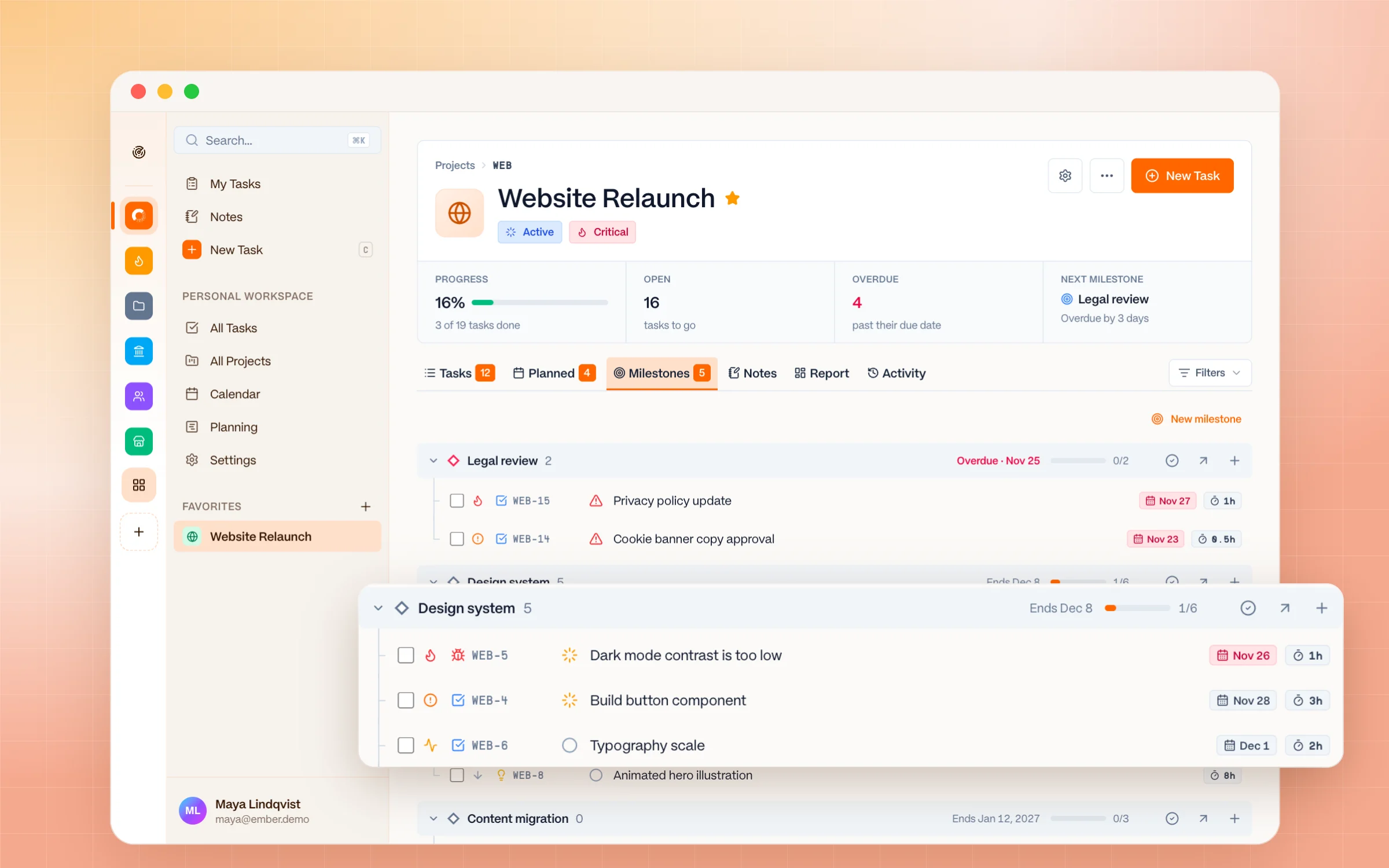
Switch between board, list, calendar, and milestones to plan discovery, exploration, and handoff without configuring a workflow.
Notes next to the work
Keep briefs, research, and critique notes in folders, and sketch flows on a board. Share with the people who need them. Any line can become a task.
Protect creative focus
No notifications, no comment threads, no @mentions. Finita is pull-based, so you check in when you're ready.
Made by a designer
Finita is built by an independent UX designer who's shipped products used by millions. It's opinionated, quiet, and made to stay out of your way.
Notes
From brief to tasks without copying anything
Write the brief, share it with the team, and select the lines that need doing. Each becomes a task that keeps its key and live status inside the note.
More about notes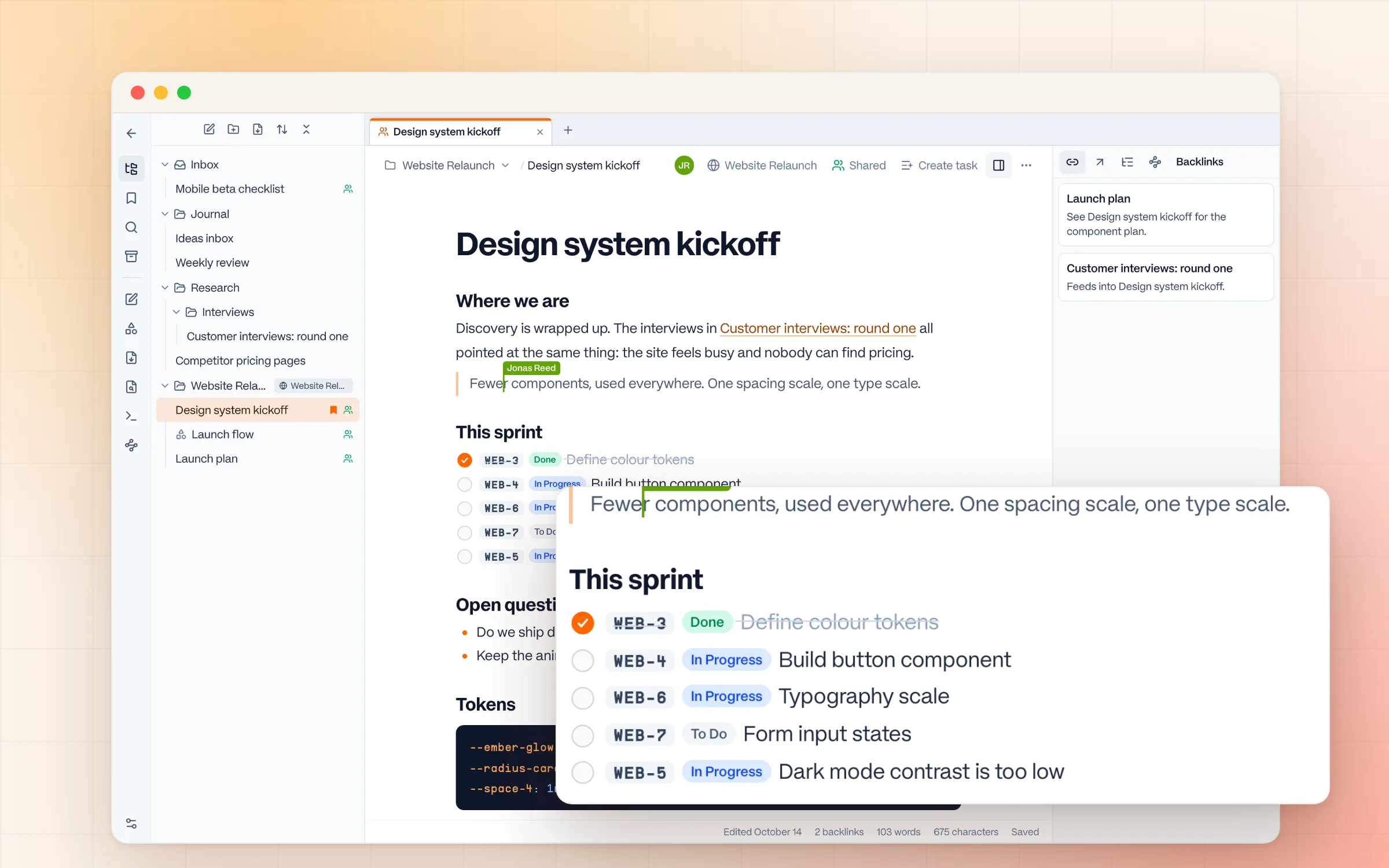
Workspaces
A workspace for every client
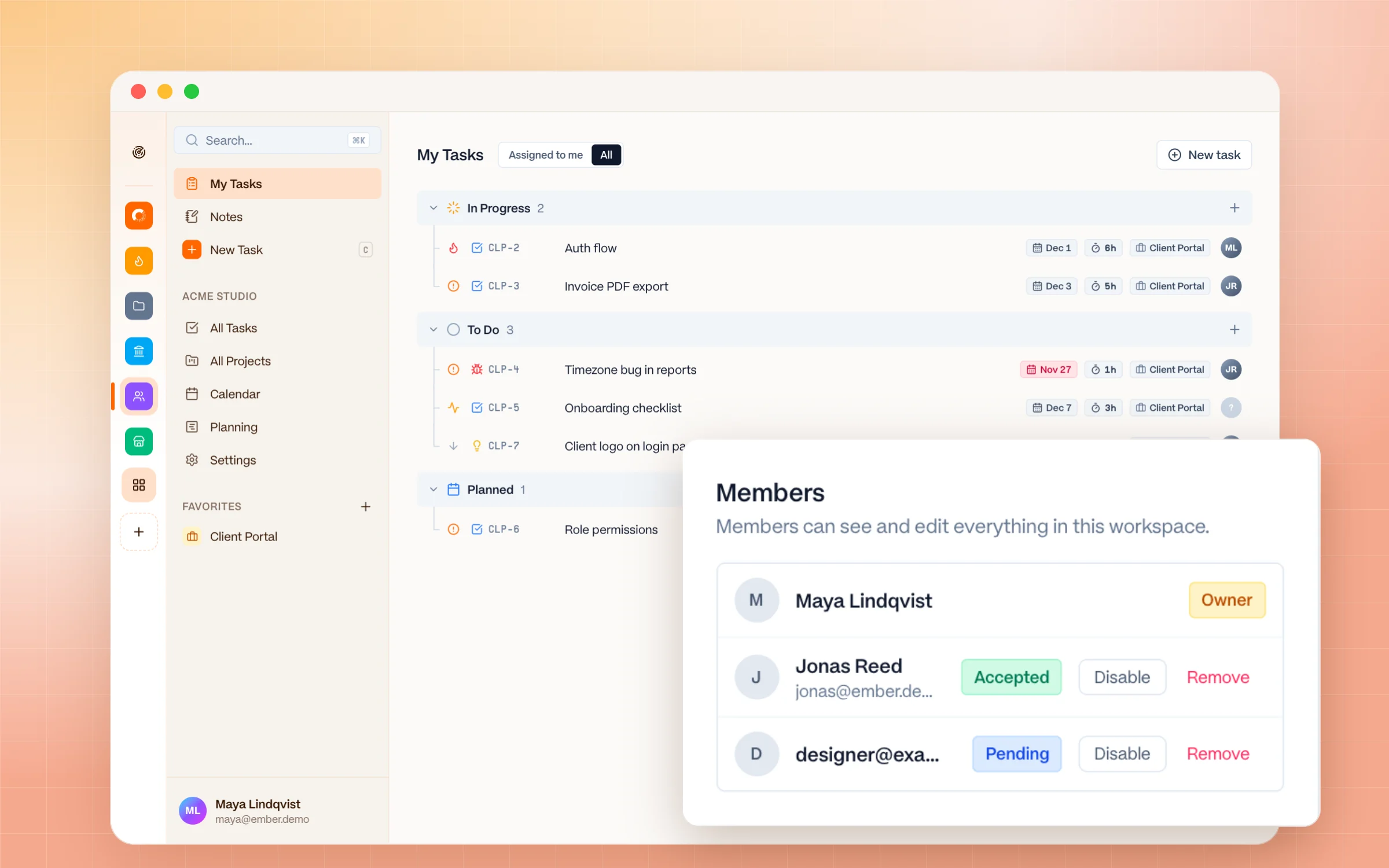
Each client or product gets its own workspace with unlimited projects. Bring a client in as a Member when you want them to see progress.
Your work and client data stay private
Finita is built in the European Union and GDPR-compliant by design. Unreleased work and client briefs stay yours.
- No behavioral analytics or session recording
- No ads, and no selling or sharing your data
- No AI trained on your content
- Export everything, any time
Coming from another tool?


Finita for other kinds of work
Or see every Finita feature and pricing.
Designer questions, answered
Is Finita good for managing design projects?
Yes. Finita gives each client or product its own workspace, with board, list, calendar, and milestone views so you can plan design phases from discovery to handoff — without building a custom workflow first.
Does Finita interrupt creative focus?
No. Finita has no notifications, no inbox, no activity feed, and no comment threads. It's pull-based by design, so nothing pulls you out of deep, focused design work.
Is Finita free for solo designers?
Yes. Finita is free forever for solo use, with unlimited projects and tasks plus 2 collaborator seats. You only pay a flat €5/seat/month when you bring in more than two people.
Can I use Finita on my Mac?
Yes. Finita has native desktop apps for macOS (Apple Silicon and Intel), Windows, and Linux, plus a web app — so it fits whatever a designer works on.
How is Finita different from Notion for design work?
Finita is a focused task manager rather than an all-in-one workspace. It has notes and boards for briefs, research, and flows, shared with the people who need them, but no databases to build and no notifications to mute — just a calm place to plan and finish design work.
Design calmly. Ship without the noise.
Free for solo use. No configuration required. Open it and get to work.