
Comparison
Finita vs. Jira: A calm Jira alternative
Jira is the gold standard for enterprise engineering. Finita is what you use when Jira is 10x more than you need.
Jira is the dominant tool in enterprise software development, and for large engineering orgs with complex release cycles, it's hard to beat. But most small teams and solo developers use maybe 10% of its capabilities while dealing with 100% of its complexity. Finita is purpose-built for teams where Jira is overkill.
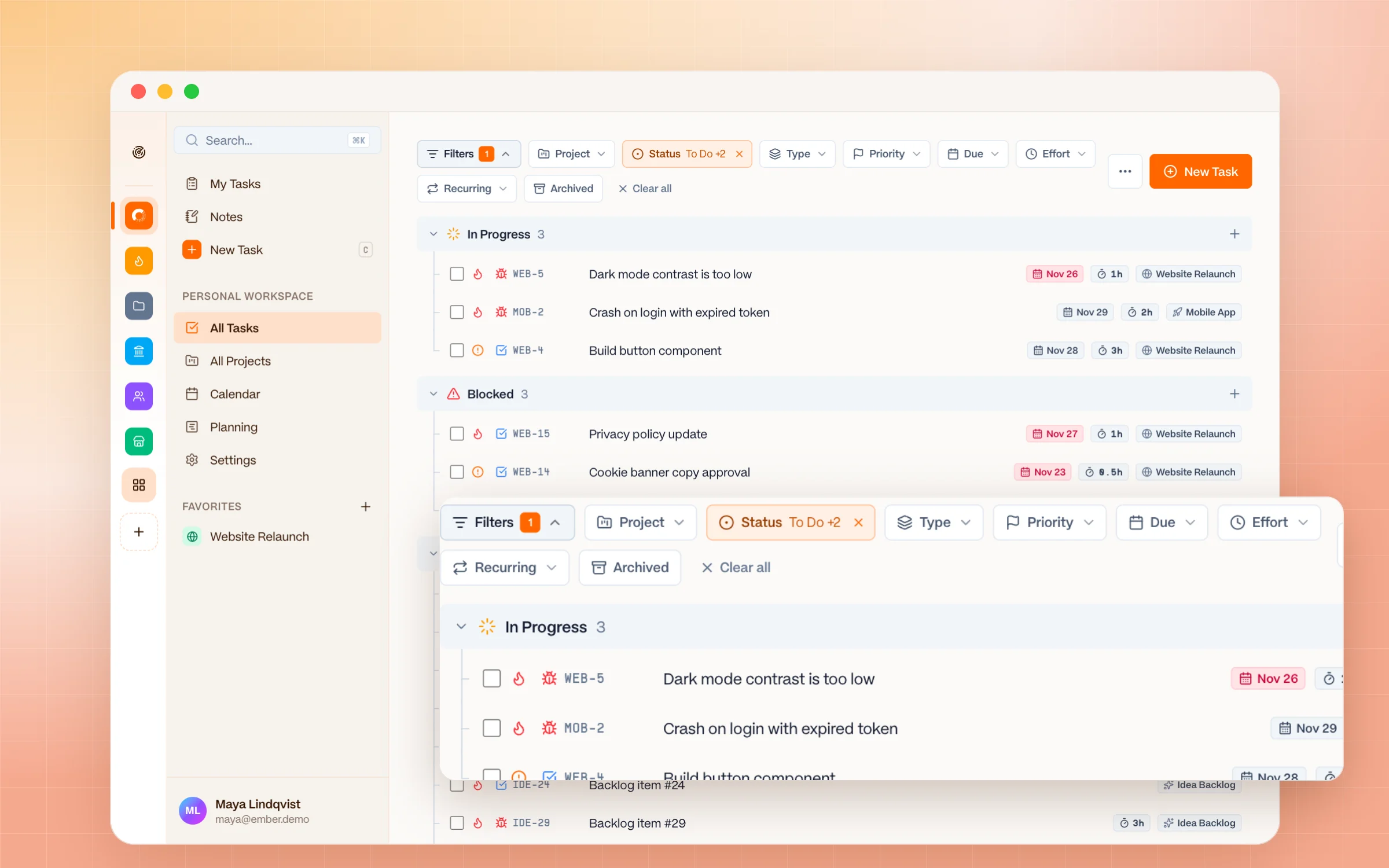
What you get with Finita instead
Tasks, not tickets
A task has a status, priority, type, estimate, and due date. Write the rest in Markdown, with diagrams and checklists you tick in place.
Custom statuses without schemes
Add a status like In Review when you need one. It maps to a built-in category, so boards and reports keep working with no workflow to administer.
A project overview in one tab
Progress, overdue work, remaining estimate, and a breakdown by status, priority, and milestone. No dashboard gadgets to configure.
An activity log you open when needed
See who changed what, including AI agents, without a stream of transition emails.
Finita vs. Jira: feature comparison
Last reviewed October 2026. Jira prices are list prices per user per month, billed annually, and can change. Check Jira's pricing page for current figures.
Why people move from Jira to Finita
The tool is heavier than the work
For a 2-person team shipping a product, managing Jira workflows, issue schemes, and sprint ceremonies takes more effort than the tasks themselves.
Sprints that don't match how you actually work
Two-week sprints are a useful framework for large teams. For solo creators or small product teams, they create artificial deadlines and planning overhead with no real benefit.
Ticket complexity that slows everything down
Jira tickets can have dozens of fields, transitions, and dependencies. Finita tasks have one job: tell you what to do next.
Performance and load time
Jira's web interface is notoriously slow. Finita is a desktop app. It opens instantly and stays out of your way.
When Jira is the right choice
Jira is the right choice for enterprise engineering teams that need detailed audit trails, compliance tracking, complex workflow customization, and deep integrations across a large toolchain. It's the standard for good reason at scale.
When Finita is the right choice
Finita is the right choice if you're a small team, freelancer, or indie developer who wants to track work without managing a system. If you're using Jira for a team of three and most features are noise, Finita is the right fit.
Finita vs. Jira: frequently asked questions
Is Finita a good Jira alternative for small teams?
Yes. Jira is built for enterprise engineering with workflows, schemes, and sprints. Finita is the simple choice when a small team uses maybe 10% of Jira but deals with 100% of its complexity.
Does Finita have sprints and tickets like Jira?
No. Finita uses simple statuses that work out of the box instead of full ticket lifecycles, sprints, and configurable workflows. You can add a custom status like In Review, but there are no schemes or transition rules to administer.
Is Finita faster than Jira?
Yes. Finita is a native desktop app that opens instantly, while Jira's web interface is widely known for being slow and heavy.
How does Finita pricing compare to Jira?
Finita is free for 2 collaborators, then €5/seat/month flat with education and nonprofit discounts. Jira's paid tiers run roughly $8–$15/user/month.
Keep exploring
Try the alternative
Ready to work without the noise?
Finita is free to start. No configuration required. Just open it and get to work.
No notifications • No setup • Cancel anytime